

Your machine
Single-host control plane — not a multi-tenant reseller panel. State stays in your data directory.
A free, open, single-host Linux control plane — web panel + CLI + API to manage hosting, files, mail, databases, DNS/SSL, and security on your VPS or bare metal.
CLI: ysk-server, default panel port 9287.
Not multi-tenant SaaS lock-in — panel, CLI, and API share one core. Host changes stay dry-run until you say so.
Operator (browser / terminal / AI agent)
        │  Panel HTTPS :9287  ·  CLI ysk-server  ·  API ysk_*
        ▼
   Control plane (one core)
   · projects / files / mail / databases / DNS·SSL / defense
   · written to dataDir ≠ applied on the host
   · 2FA · RBAC · audit
        │
        ▼
   Host executor (dry-run by default)
   · real mutations: root + YSK_EXECUTE=1
        │
        ▼
   Your VPS / bare metal (Ubuntu 22.04 / 24.04 / 26.04)
Single-host control plane — not a multi-tenant reseller panel. State stays in your data directory.
One core, one capability set. Humans use the panel; scripts and agents use --json.
No fake success. Dangerous host operations stay dry-run until root + YSK_EXECUTE=1.
Projects, Nginx/Apache, SSL, databases, email, FTPS, Docker, validators (Beta), and a Defense center — one box.
| Area | Highlights |
|---|---|
| Sites | Projects, deploy, isolation, multi-runtime (Node / PHP / static…) |
| Files | Sandboxed manager, public shares, WebDAV, FTPS, BT Tracker / WebTorrent |
| Domains, mailboxes, DNS bundles, deliverability checks (no inbox guarantee) | |
| Data | MySQL / MariaDB / PostgreSQL / Redis |
| Edge | DNS, SSL, Nginx, Apache, CDN agents |
| Security | Defense center, SSH / 2FA, VPN, VNC, API keys |
| Containers | Docker engine; full-width inspect / logs; Compose YAML editor |
| Ops | Metrics, shared LogViewer, terminal, cron, backups, updates |
| Validators | L1 nodes (Beta); official GitHub version picker; no staking-yield promise |
| License | MIT · free for public use · CLI ysk-server v1.1.26 |
Sites through defense on one machine — every domain has a matching CLI, and host changes can stay planned-only.
YSK_EXECUTE=1, deploy is plan-only — never a fake go-liveYSK_EXECUTE=1ysk-server readiness --jsonask never bypass dry-runWriting a config is not applying it. Conservative by default; host mutations need an explicit gate.
$dataDir/BOOTSTRAP-CREDENTIALS.txtysk_*; mutating routes default fail-closed RBACwritten ≠ applieddataDir first (written)YSK_EXECUTE=1 (applied)--execute / --applyYSK_EXECUTE=1, we will not pretend the host changed.YSK Server is not multi-tenant reseller SaaS and does not guarantee global inbox delivery.
What the panel can do, the CLI does on the same core. Agents should prefer --json.
ysk-serverysk-server v1.1.26 (ships with ysk-server-shared and ysk-server-core)ysk-server readiness --json — readiness probeysk-server help --locale en — help (13 UI locales; default zh-HK)export YSK_EXECUTE=1 — required for real host mutationsdocs/cli/reference.mdysk-server tools --json · ysk-server ask "list projects" --jsondocs/agent/commands.json.grok/skills/ysk-server/SKILL.mdUbuntu 22.04 / 24.04 / 26.04 recommended. Run as root. Other Linux: best-effort.
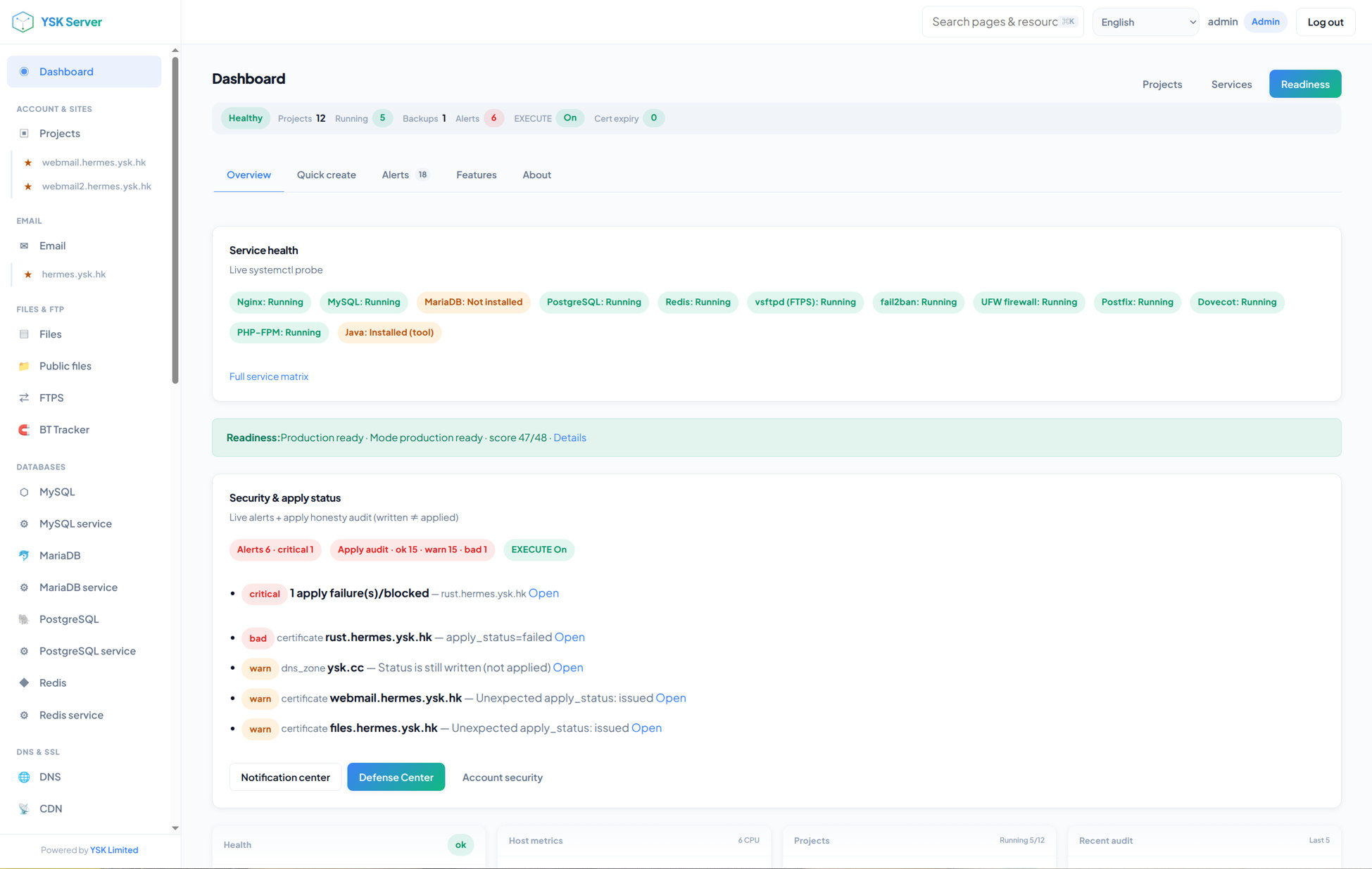
Service health, readiness, security, and apply status.
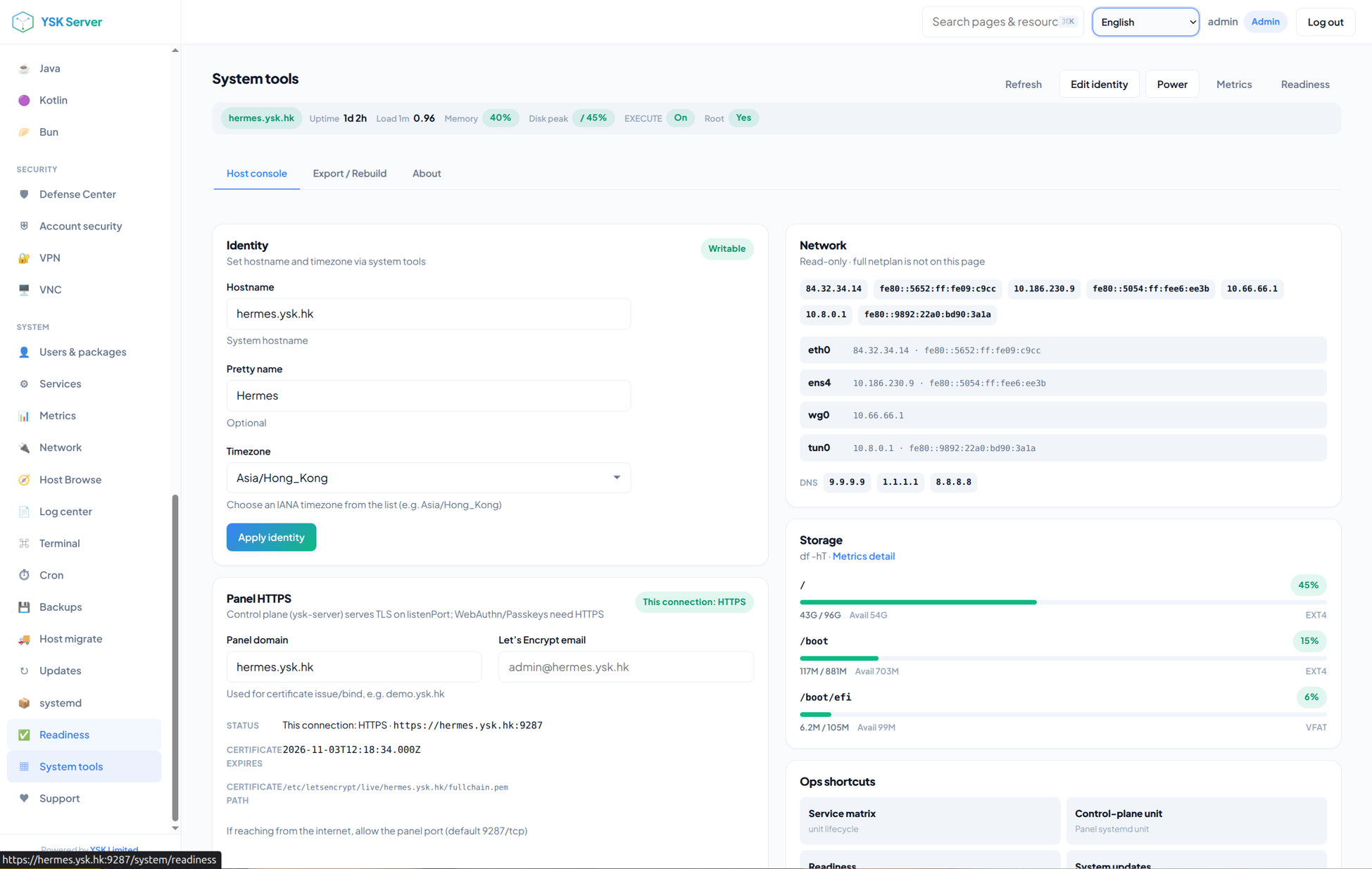
Identity, panel HTTPS, network, and storage.
install.sh on a fresh hostysk-serverhttps://<IP>:9287 (accept the self-signed warning)admin is rejectedcurl -fsSL https://raw.githubusercontent.com/yanshekki/ysk-server/main/install.sh \
| bash -s -- --non-interactive
# or npm
npm install -g ysk-server
ysk-server setup
ysk-server serve
# uninstall (keep data)
sudo ./uninstall.sh --all --keep-data --yesNeed install, hardening, or a custom build? See Business — no prices on this page.
YSK Server is MIT-licensed and runs on a Linux host you own. YSK Limited can install and harden it, or custom-develop on ysk-server — no charge for using the open-source product; custom work is quoted in writing by scope.
You run one VPS or bare-metal machine yourself.
install.sh or npm, install yourselfFor production go-live, white-label, or wiring existing systems.
Skip shared-hosting panels; run sites, mail, and databases on your Ubuntu box.
Install and white-label per client project, still one host and one control plane.
Wire Git, DNS, and backups into the same --json commands and permissions.
2FA, a trusted panel cert, firewall, and backups — executed in the written scope.
| Custom scope | What we can do |
|---|---|
| Install | Ubuntu 22.04 / 24.04 / 26.04, install.sh / systemd, first certificate, password change and 2FA |
| Harden | SSH, firewall, backups, trusted panel HTTPS |
| White-label | Panel name, mark, port, default locale |
| Workflow | Project / Git deploy templates, site isolation, Docker Compose samples, cron / backup policy |
| Integrations | Existing DNS, Git, backups, internal accounts, CLI / agent scripts |
| Mail / DNS help | PTR, port 25, checklists; still no global inbox guarantee |
| Validator nodes | In-product status is Beta; production install/hardening is contract scope — no staking-yield promise |
| After delivery | Docs, remote training, warranty window. Small changes can use outsourcing monthly tickets |
From first contact to warranty, every step has a written scope. Open-source use and install/custom work are billed separately. Host applies still need root + YSK_EXECUTE=1.
Honest limits: YSK Server is not a multi-tenant SaaS or reseller panel. Dangerous operations stay dry-run until root + YSK_EXECUTE=1. Install or paid install does not guarantee mail inbox delivery. We do not apply for domains or CA accounts, and we do not turn your host into a YSK cloud.
Yes. MIT-licensed; install it yourself. YSK does not charge for using the open-source product. Install, hardening, and custom work are quoted by scope.
A fresh-host install and a white-label plus integrations plus validators job differ widely. Quotes are written. Small changes can use existing outsourcing monthly tickets; large work is a project.
No. It stays a single-host control plane. You own the machine, or the contract names the VPS. YSK does not offer a multi-tenant SaaS YSK Server.
No. We can help with PTR, port 25, and checklists; inbox delivery still depends on DNS reputation, blocklists, and ongoing operations.
Yes. It is MIT-licensed and free for public use. Install, hardening, or a custom build: see Business — no prices on this page.
No. It is a single-host Linux control plane: one VPS or bare-metal machine you own. The panel, CLI, and API share the same core.
Ubuntu 22.04 / 24.04 / 26.04 is recommended. Other Linux is best-effort. Default panel port is 9287.
No. Install is not a mail or DNS reputation guarantee. Inbox delivery depends on PTR, port 25, blocklists, and operations.
MIT open source to install yourself; YSK Limited can install, harden, or custom-build on top.