
Simulate selected Ledger / Trezor / OneKey models (Bluetooth)
The phone speaks the vendor protocol so a third-party wallet can treat it as that model. OneKey Mini has no Bluetooth radio and is not simulated.
 YSK Limited · Cold Wallet Simulator · v1.1.7
Cold Wallet Simulator (CWS) is a phone Bluetooth simulator published by YSK Limited for developers and wallet teams testing interoperability with selected Ledger, Trezor, and OneKey models.
It is not a secure element and it is not a real hardware cold wallet. Treat it like a hot-wallet peer. Do not hold real assets.
Version 1.1.7 (build 13). Package hk.ysk.cws. MIT licence. Copyright (c) 2026 YSK Limited.
CWS runs on a physical phone and speaks the vendor protocol for selected Ledger, Trezor, and OneKey models. The publisher is YSK Limited, a Hong Kong registered company. It is not a secure element, and Ledger, Trezor, and OneKey do not endorse it. Treat it like a hot-wallet peer. Do not hold real digital assets in this software.
The phone speaks the vendor protocol so a third-party wallet can treat it as that model. OneKey Mini has no Bluetooth radio and is not simulated.
BIP39 / SLIP-39 secrets stay in operating-system secure storage. The ineffective copy-mnemonic control is removed. That control never wrote the mnemonic to the clipboard. This is not a secure element, and it is not absolute safety.
The proxy can pick one phone and lock that Bluetooth connection, then present the phone as USB HID so a desktop wallet can link. The Mac App Store listing is coming soon. There is no store URL. It is waiting for Apple approval before it can list on the Mac App Store. Ubuntu and Linux have no packaged download; the build steps are in this page’s CWS Proxy section. Windows has no packaged download; build from source only.
Accounts and descriptors can leave by QR. Exporting the seed requires confirmation on the phone.
Derivation and signing cover the chains in the README. Opening an app name does not mean every host screen for that chain is finished.
Read the security notes before you generate or import a secret. Treat the simulator like a hot-wallet peer. Treat every secret entered here as unfit for any purpose that matters.
| Item | Fact |
|---|---|
| Name | Cold Wallet Simulator (CWS) · 冷錢包模擬器 |
| Version | 1.1.7 (build 13), from apps/mobile/app.json. GitHub Release v1.1.7 is notes only; no installer attached. |
| Package | hk.ysk.cws |
| Audience | Developers and wallet teams. Development and interoperability testing. Do not hold real assets. |
| Publisher | YSK Limited (Hong Kong registered company) |
| Licence | MIT. Copyright (c) 2026 YSK Limited. |
| Android | Prefer Google Play. You can also download the APK (sideload may need unknown sources). |
| iOS | On the App Store (free; iOS 16.4 or later; iPhone-focused). Version 1.1.7. This page does not offer an IPA. |
| CWS Proxy | macOS (Mac App Store): coming soon. No store URL. It is waiting for Apple approval before it can list on the Mac App Store. Build from source: docs/proxy-macos.md. Ubuntu and Linux: no packaged download; build steps are in this page’s CWS Proxy section. Windows: no packaged download; build from source only. |
The phone is a Bluetooth peripheral. Service UUIDs follow the official models. OneKey uses a per-device GAP serial. The table is the published model set. This software is not endorsed by those brands. Ledger Live’s genuine-device check is not expected to pass.
| Brand | Models | Phone transport |
|---|---|---|
| Ledger | Nano X, Flex, Stax, Nano Gen5 | BLE APDU |
| Trezor | Safe 7 | BLE THP |
| OneKey | Classic, Classic 1s, Pure, Touch, Pro (V1); Pro 2, Neo (V2) | BLE protobuf |
BIP39 or SLIP-39 secrets sit in OS secure storage. CWS has no secure element. Do not put a seed that controls real digital assets on the device. The full statement is in the security notes and the README.
WHEN_UNLOCKED_THIS_DEVICE_ONLY. A passphrase stays in memory for the session.FLAG_SECURE on secret screens. iOS blurs the app switcher. iOS does not black the live image.Usability gaps that remain open in 1.1.7: Phantom may not complete unlock after connect; Rabby’s camera may still fail to scan the phone QR; Avalanche Core may not list X and P accounts end to end; OKX may not show asset balances for an imported account. Those gaps are not a reason to treat this software as a place to hold assets.
A desktop wallet links over virtual USB HID. Signing still happens on the phone. This page has no packaged download for macOS, Ubuntu, Linux, or Windows. Build the Ubuntu .deb on Ubuntu from the repository. The steps are below.
| Platform | Status |
|---|---|
| macOS | Mac App Store: coming soon. No store URL. It is waiting for Apple approval before it can list on the Mac App Store. Build from source: docs/proxy-macos.md. |
| Ubuntu | No packaged download. Package hk.ysk.cws.proxy (amd64 and arm64, glibc 2.34 or newer: Ubuntu 22.04 / 24.04) must be built on Ubuntu from the repository. This page and GitHub Releases do not attach the .deb. Build steps are below. |
| Other Linux | No .deb. Build @cws/native-proxy, then run yarn proxy. Steps are below. This page has no installer link. |
| Windows | No packaged download. Build from source only: build @cws/native-proxy, then run yarn proxy. Virtual HID is not implemented on Windows, so a source build does not create a USB HID device. This page has no installer link. |
There is no packaged download on this page or on GitHub Releases. Build it on Ubuntu from github.com/yanshekki/ysk-cold-wallet-simulator. The package is for amd64 and arm64 (glibc 2.34 or newer: Ubuntu 22.04 and 24.04). It installs:
/usr/bin/cws-proxy/usr/lib/hk.ysk.cws.proxy/usr/lib/udev/rules.d/99-cws-uhid.rules, the same file as apps/proxy/udev/99-cws-uhid.rules. Virtual HID needs /dev/uhid and plugdev.From the repository root:
sudo apt-get install -y build-essential pkg-config libdbus-1-dev curl ca-certificates python3 xz-utils
# Node.js 22+, Yarn 1.22.22, Rust (rustup)
corepack enable && corepack prepare [email protected] --activate
yarn
yarn workspace @cws/native-proxy build
bash apps/proxy/linux/build-deb.sh
bash apps/proxy/linux/check-deb.sh apps/proxy/dist/linux/hk.ysk.cws.proxy_*.deb
sudo apt-get install -y ./apps/proxy/dist/linux/hk.ysk.cws.proxy_*.deb
sudo usermod -aG plugdev "$USER"   # then log in again
cws-proxy                          # http://127.0.0.1:8788
yarn workspace @cws/proxy deb is the same as build-deb.sh. After install, open http://127.0.0.1:8788, press Start, and pick the phone. Seeds are not absolutely safe.
yarn workspace @cws/native-proxy build   # once
yarn proxy                               # http://127.0.0.1:8788
Copy apps/proxy/udev/99-cws-uhid.rules to /etc/udev/rules.d/, then log in again (plugdev, mode 0660 on /dev/uhid).
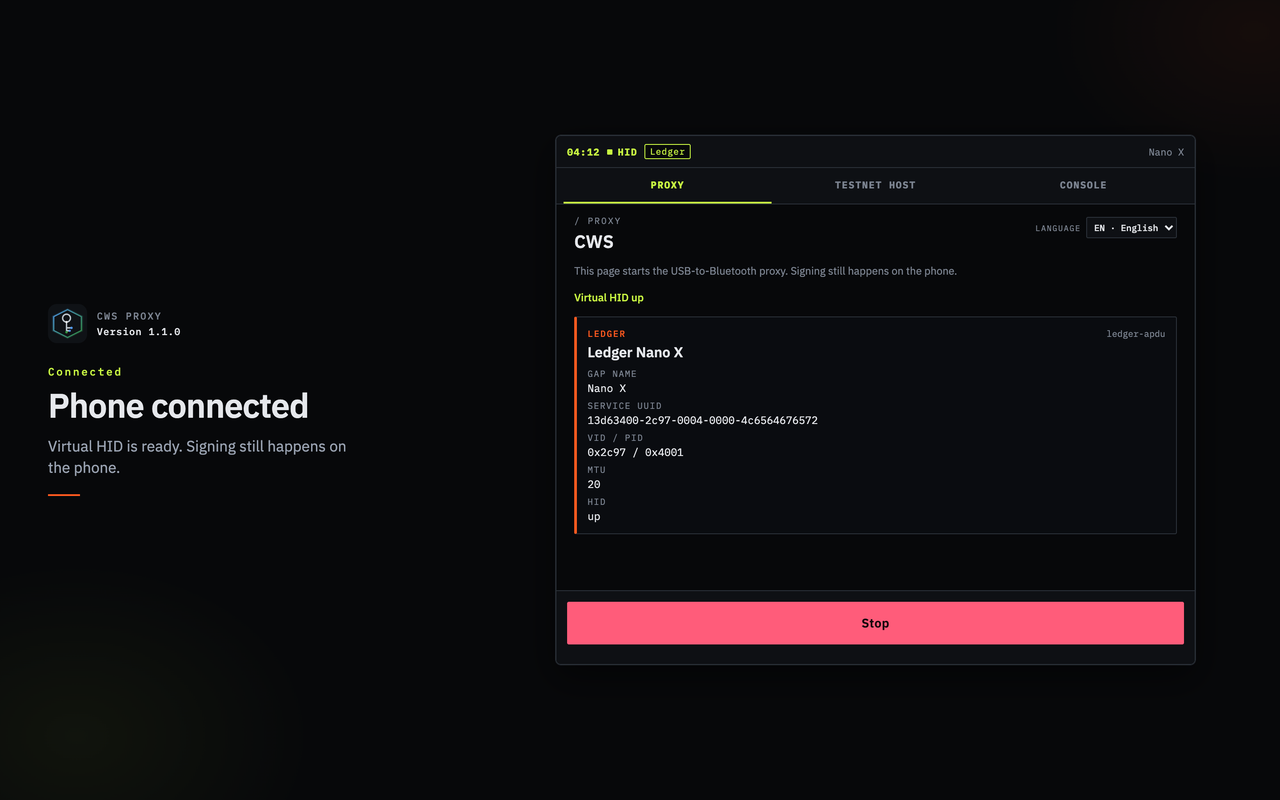
The screenshots below show the CWS Proxy connection UI. They are not download buttons, and they are not an installer.
Account keys and output descriptors can be exported as UR or BBQr. A backup-seed QR requires confirmation on the phone. The chain list is the README’s.
| README chain list | Coverage |
|---|---|
| Bitcoin | Legacy, nested SegWit, native SegWit, Taproot |
| Account chains | Ethereum and EVM-style paths, Avalanche, Solana (Ledger and Phantom paths), Cosmos, Tron, XRP, Cardano, Polkadot, TON, Aptos, Sui, NEAR, Litecoin, Dogecoin, Stellar, Tezos, and BNB Beacon |
A Ledger app catalog is included so a host can open an app name. Opening a name does not mean every host screen for that chain is finished. The chain list is in the README.
Seven frames from CWS Proxy on macOS (1280×800), in English. No seed and no private key. They are not an installer.
Ledger Nano X. Virtual HID up.
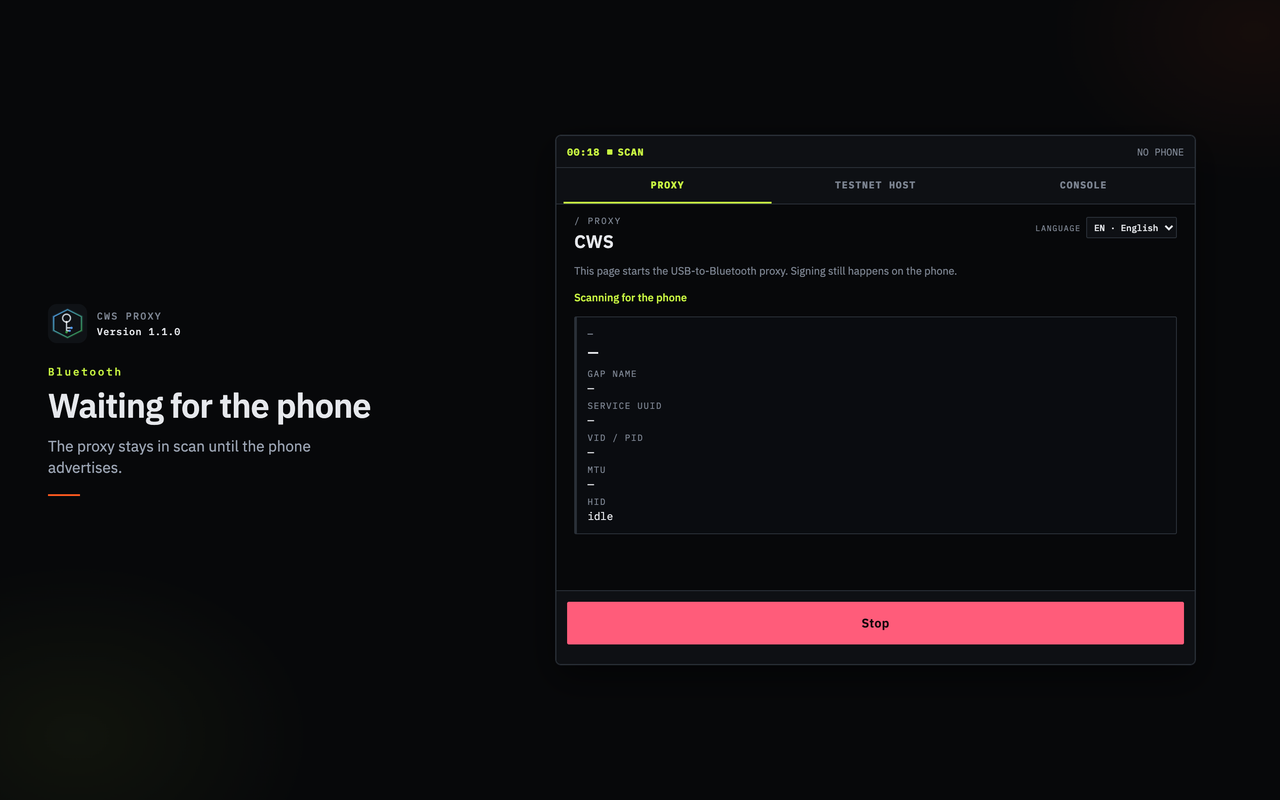
Scanning. No phone yet.
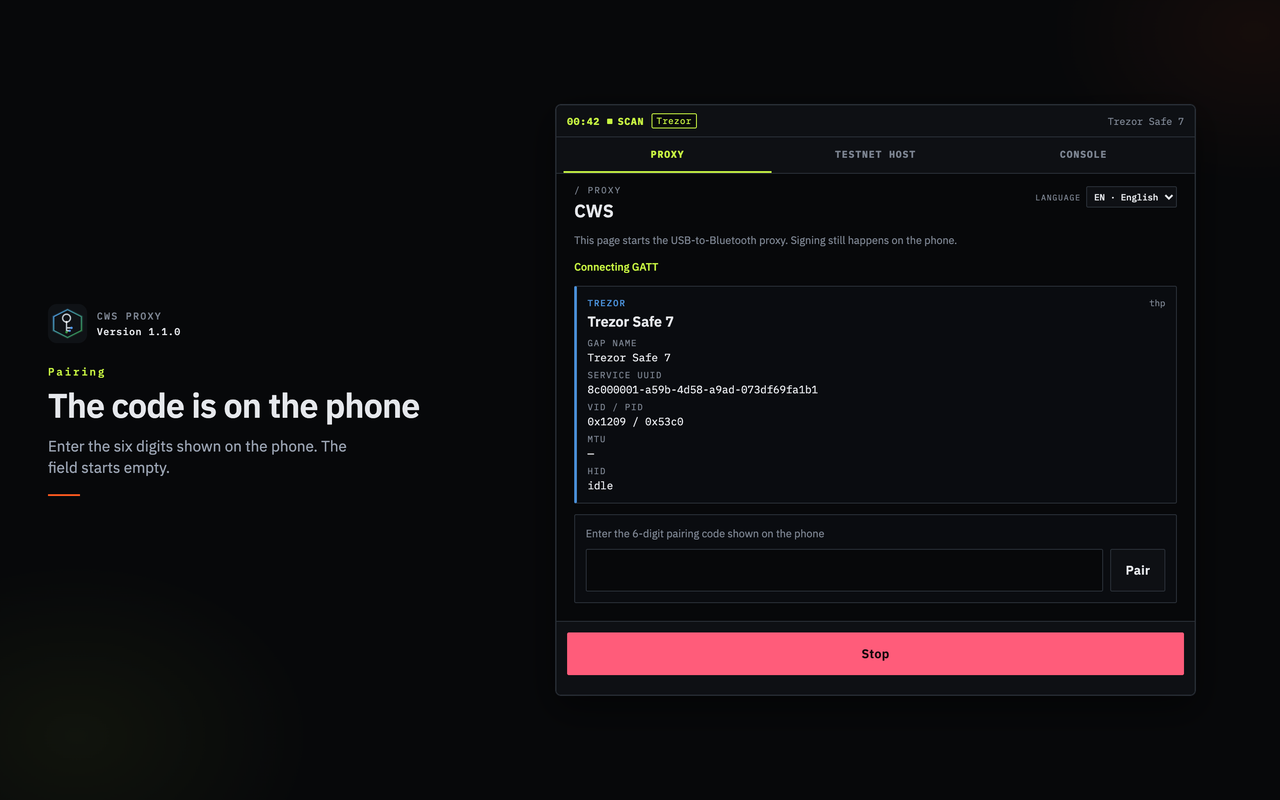
Trezor Safe 7. Pairing field empty.
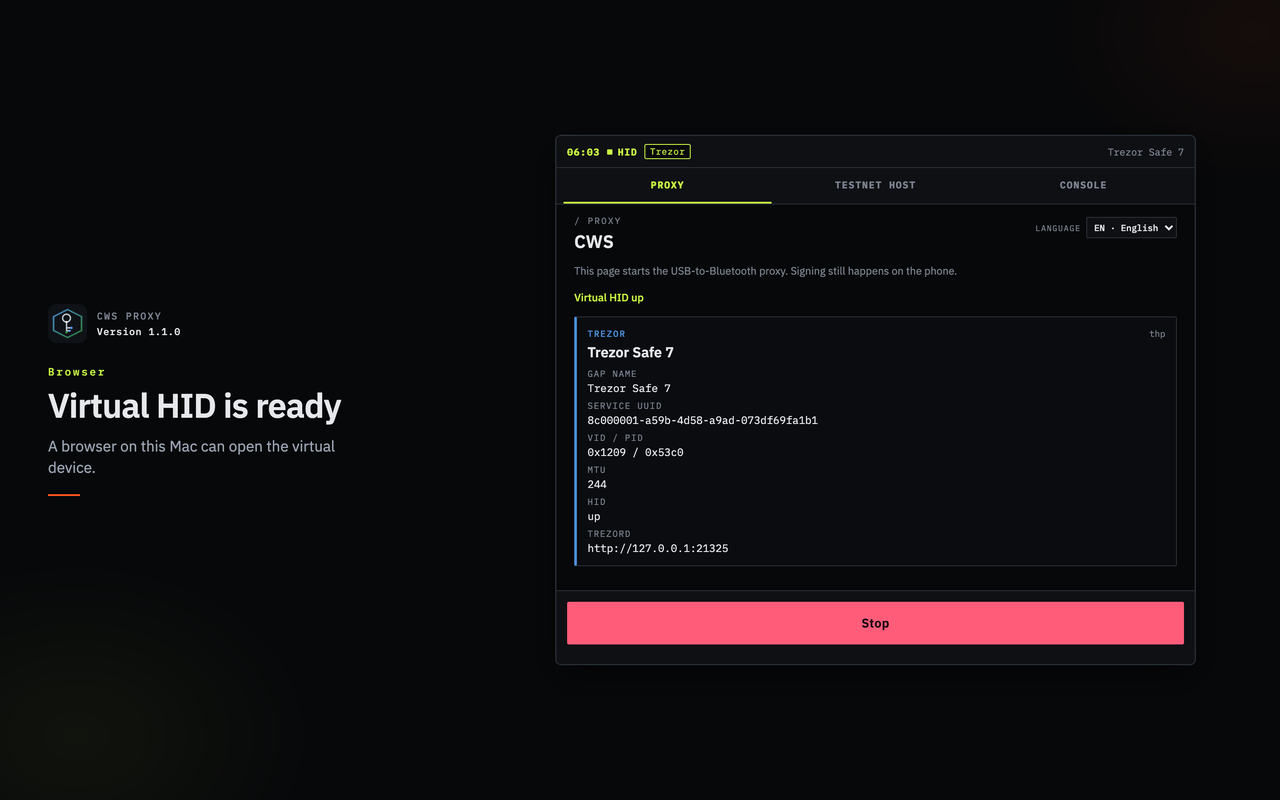
HID up. trezord on local port 21325.
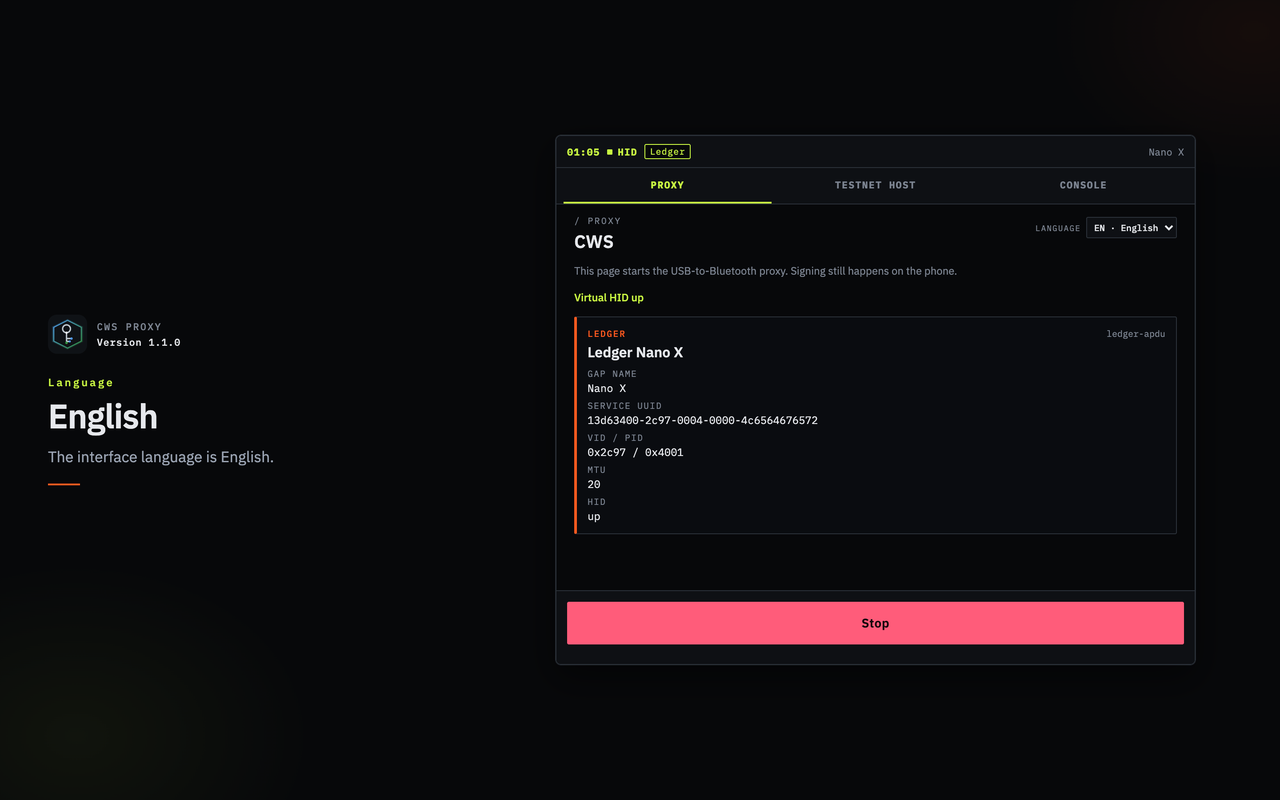
UI language is English.
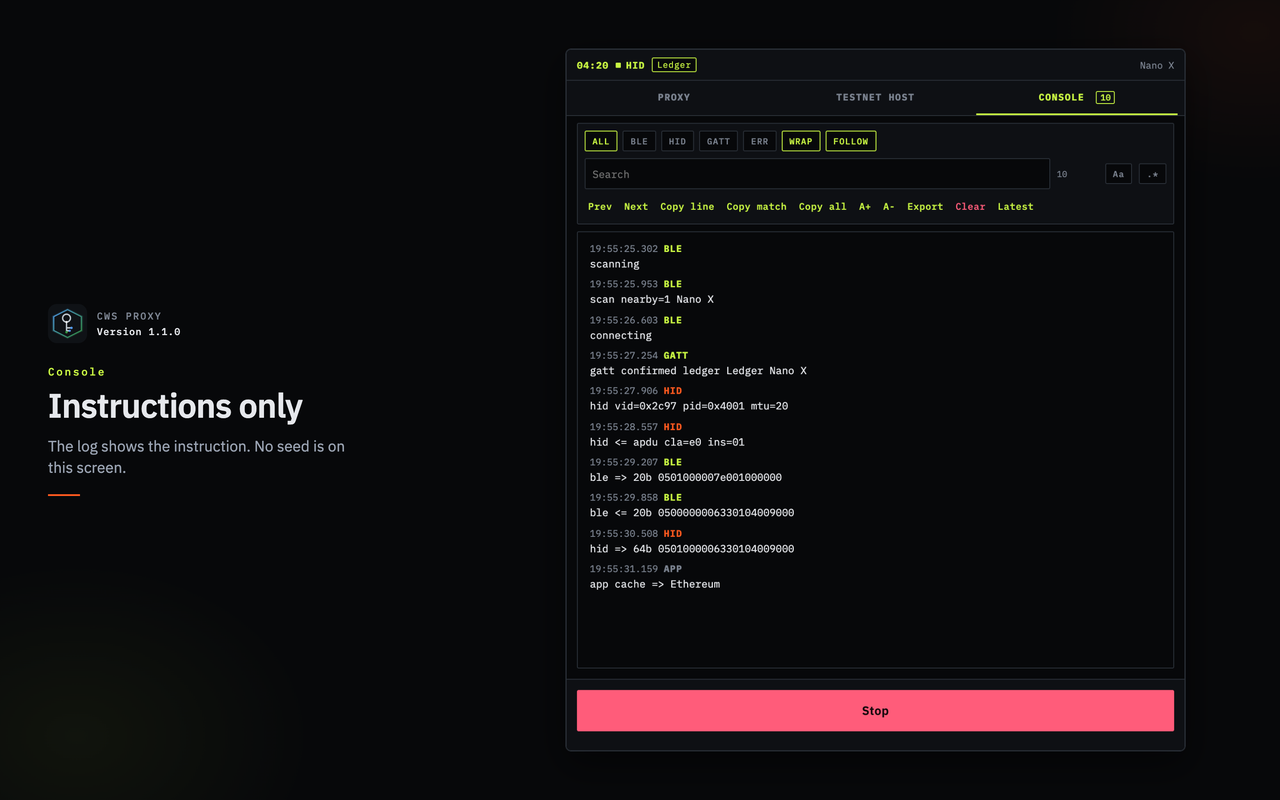
One version exchange. No seed.
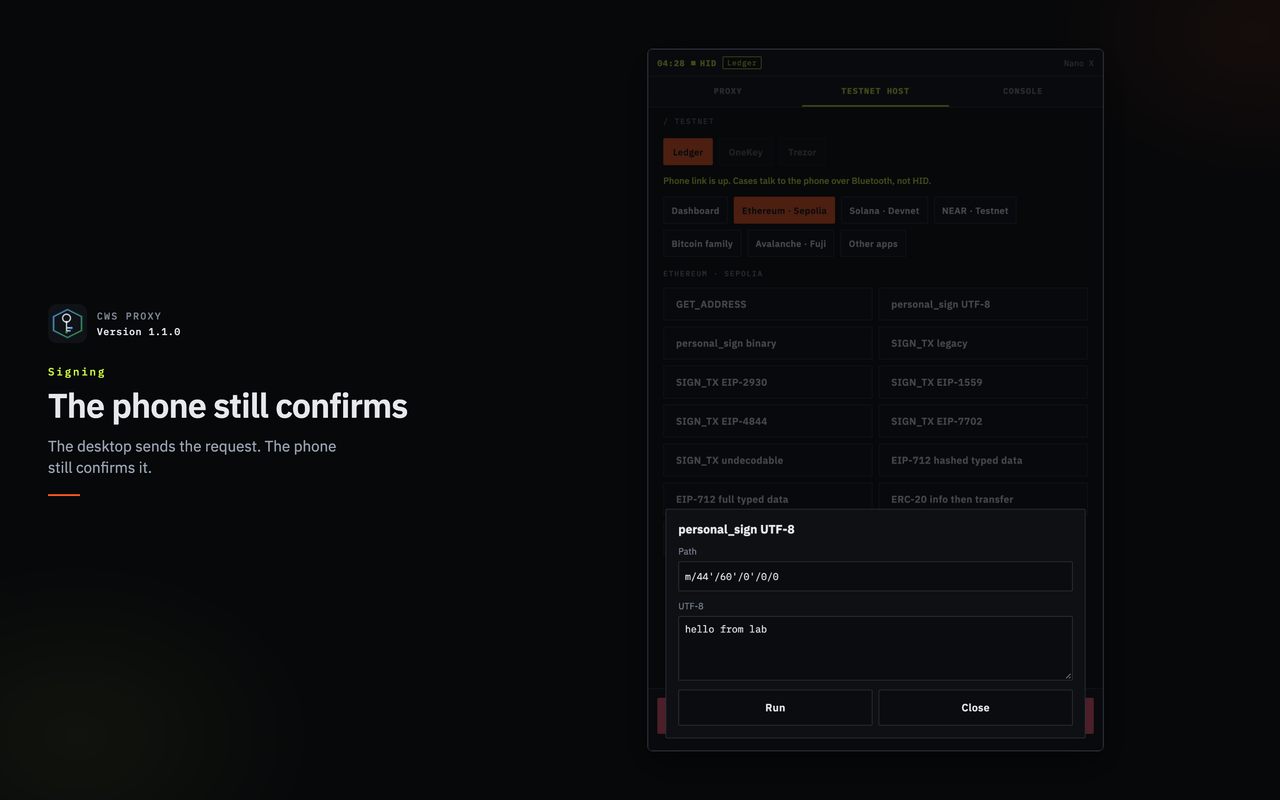
Testnet host. personal_sign is open and not submitted. The sample is the lab default.
Cold Wallet Simulator is published by YSK Limited, a Hong Kong registered company. The licence is MIT. MIT does not make this software a secure element, and it does not mean Ledger, Trezor, or OneKey endorse it. The public badge is 1.1.7 (build 13), from app.json. GitHub Release v1.1.7 is notes only and attaches no installer. Do not treat the repository URL as an installer.
On Android, prefer Google Play; you can also download the APK (sideload may need unknown sources). iOS is on the App Store (free; iOS 16.4 or later; iPhone-focused).
hk.ysk.cwsThese have no installer link, so the page does not point at a missing file. This page does not offer an AAB or IPA.
Questions: WhatsApp +852 6160 4242 or [email protected]. No prices on this page, and no proxy installer.
Direct answer: Cold Wallet Simulator (CWS) is a phone Bluetooth simulator published by YSK Limited for developers and wallet teams testing interoperability with selected Ledger, Trezor, and OneKey models. It is not a secure element and it is not a real hardware cold wallet.
Direct answer: Android is on Google Play; you can also download the APK. iOS is on the App Store.
hk.ysk.cws, public version 1.1.7 (build 13)..deb. Follow the commands in this page’s CWS Proxy section: on Ubuntu run bash apps/proxy/linux/build-deb.sh to build package hk.ysk.cws.proxy, then install it; on other Linux run yarn workspace @cws/native-proxy build once, then yarn proxy.Direct answer: Yes. iOS is on the App Store; CWS Proxy can be built from source.
bash apps/proxy/linux/build-deb.sh for hk.ysk.cws.proxy; other Linux: yarn proxy).Direct answer: Yes. The licence is MIT. Copyright (c) 2026 YSK Limited. MIT does not make this software a secure element, and it does not mean Ledger, Trezor, or OneKey endorse it.
Direct answer: No. It is a simulator. Treat it like a hot-wallet peer. It is not a secure element. Do not hold real assets in it. Ledger, Trezor, and OneKey do not endorse it.
Direct answer: No. BIP39 or SLIP-39 secrets sit in OS secure storage, and seeds are not absolutely safe. Mnemonics are intentionally never written to the clipboard. See the security notes.
Direct answer: Selected Ledger, Trezor, and OneKey models over Bluetooth. Service UUIDs follow the official models. OneKey uses a per-device GAP serial. OneKey Mini has no Bluetooth radio and is not simulated. The model list is on this page and in the README.
MIT · Copyright (c) 2026 YSK Limited. For developers and wallet teams. Not a secure element. Do not hold real assets.